Contact Backup & Restore Gmail1.1
Publisher Description
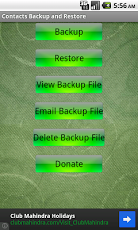
Backup and restore contacts on Android devices using the easiest, smartest and most reliable app.The Backup file will created .vcf file which is easily move able in any phone as like Nokia Windows Phone, Symbian phone and also move able in android phones......this is free application.The fastest contact backup tool on android!You can backup apps & contacts to the SD card/Gmail. You will never lose your data again!To get the Ads free pro version, please click here:Super Backup Pro★Important Notice!!!If your phone has inbuilt storage, the default backup location will probably be the external storage card and not working in internal. This is because the phone reports the storage that way. If you intend to do a factory reset on the phone, please make sure default backup folder is in your external SD card before doing it. If not, please copy the entire backup folder ("Contacts Backup" by default)to your external SD cardFeatures:-Backup Contacts to SD card-Create (VCF) file of Contacts and you can mail it-Backup & restore app's data(need root)-Batch restore apps from SD card (need root)-Backup Contacts to SD card and send file to Email-Restore Contacts from SD card and from Email-Delete the backup data on SD card-User can change backup folder path in Settings
About Contact Backup & Restore Gmail
The company that develops Contact Backup & Restore Gmail is RimpvTeam. The latest version released by its developer is 1.1. This app was rated by 1 users of our site and has an average rating of 4.0.
To install Contact Backup & Restore Gmail on your Android device, just click the green Continue To App button above to start the installation process. The app is listed on our website since 2013-05-27 and was downloaded 15 times. We have already checked if the download link is safe, however for your own protection we recommend that you scan the downloaded app with your antivirus. Your antivirus may detect the Contact Backup & Restore Gmail as malware as malware if the download link to com.rimpv.contact is broken.
How to install Contact Backup & Restore Gmail on your Android device:
- Click on the Continue To App button on our website. This will redirect you to Google Play.
- Once the Contact Backup & Restore Gmail is shown in the Google Play listing of your Android device, you can start its download and installation. Tap on the Install button located below the search bar and to the right of the app icon.
- A pop-up window with the permissions required by Contact Backup & Restore Gmail will be shown. Click on Accept to continue the process.
- Contact Backup & Restore Gmail will be downloaded onto your device, displaying a progress. Once the download completes, the installation will start and you'll get a notification after the installation is finished.
Version History
version 1.1
posted on 2013-05-27
version 1.1
posted on 2013-05-27
Several fixes and updates
